



Edit Your Open Trigger Orders: Keep Your Plan in Step with the Market



Dan Stokes
Community Growth
You set a Buy the Dip order in August. You picked a sensible level, funded it, and got on with your life. Then the market pumped, and that sensible level is now a long way below where anything is trading.
Left alone, that order will sit there indefinitely, waiting for a price that may never return. Until now, the only fix was to cancel it and start again from scratch.
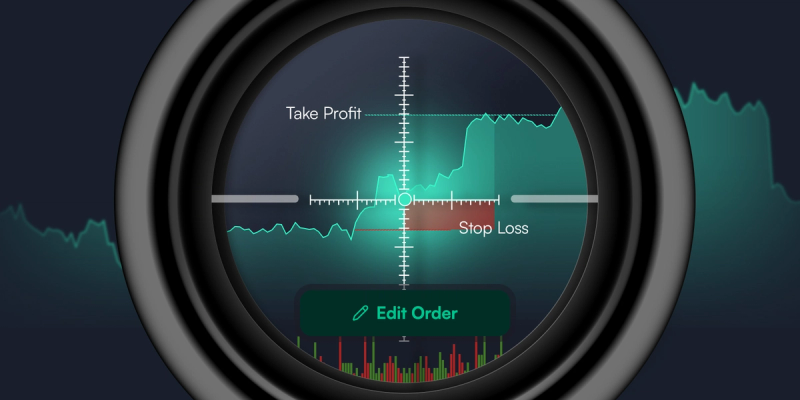
You can now edit any open Trigger Order directly in the SwissBorg app: change the trigger price, or add and remove a Take Profit or Stop Loss on the same position. Nothing is cancelled and nothing is re-funded.
How to Edit a Trigger Order in Four Taps
- Open the Portfolio tab and tap Open Orders.
- Select Trigger Orders and choose the order you want to change.
- Tap Edit Order.
- Change the trigger price, or add or remove a Take Profit or Stop Loss, then confirm.
Add or Remove a Take Profit or Stop Loss
Your protection does not have to be fixed at the moment you set the order. If you opened a position with only a Stop Loss, you can now add a Take Profit as the market moves in your favour. If you set both and your view has changed, you can remove either one. You can even swap one for the other, removing a Stop Loss and adding a Take Profit in the same edit.
Whatever you change, the order stays live, keeps its assets and amount, and when a Take Profit and Stop Loss are set together, one still cancels the other on execution.
One Plan, Two Tools: Trigger Orders and Auto-Invest Price Conditions
Trigger Orders and the recently upgraded Auto-Invest works brilliantly as a pair.
Trigger Orders handle the single, decisive moments in your plan: a one-off entry at a specific dip, a profit target, or a stop loss. Auto-Invest with price conditions handles the steady accumulation and distribution around them, buying on a schedule only below your chosen price, or selling on a schedule only above it.
Together they cover the full arc of a position without asking you to watch a chart. A recurring buy below your target builds the position. A Trigger Order catches a sharper dip if one arrives. A recurring sell above your profit level takes gains steadily on the way up, and a Take Profit order handles the final exit. With editable Trigger Orders, that whole structure can be adjusted as the market moves, rather than rebuilt.
Get Paid to Wait with USDG Smart Cash
Trigger Orders can be funded in USDC, USDG, EUR, or CHF, and capital sitting in a pending order does not have to sit idle. When you fund a Buy the Dip order with USDG and are opted in to Smart Cash, that allocated balance remains eligible for BORG loyalty rewards right up to the day the order executes.
So while your order waits for its price, your USDG keeps earning rewards. Edit the order, and it keeps earning still.
Open the SwissBorg app, check your Open Orders, and bring any stranded Trigger Orders back within reach.
Turn off your emotions. Turn on your strategy.
Trigger Orders FAQ
Yes. Go to Portfolio, then Open Orders, then Trigger Orders. Select the order and tap Edit Order. You can change the trigger price, add a Take Profit or Stop Loss, or remove one you no longer want. The order stays live and does not need to be cancelled or re-funded.
A Trigger Order executes once, when the market reaches a specific price. An Auto-Invest price condition gates a recurring buy or sell, so the scheduled execution only takes place when your price condition is met. Trigger Orders suit single entries and exits; Auto-Invest conditions suit steady accumulation and distribution.
Yes, if you are opted in to Smart Cash. USDG allocated to a pending Buy the Dip order remains eligible for BORG loyalty rewards until the order executes.
Trigger Orders can be funded in USDC, USDG, EUR, or CHF. USDG balances held in a pending order remain eligible for Smart Cash rewards if you are opted in.
Growing Wealth Together.
Engineered in Switzerland. Licensed in Europe.
Continue the conversation:
X | Instagram | YouTube | Discord | Telegram
Crypto assets are highly volatile. You risk losing all invested capital. This article is for informational purposes only and is not financial advice. You can learn more about risks associated with crypto assets on our List of Risks page.
Date modified: